
How to Take the Perfect Photo for an AI Pet Portrait
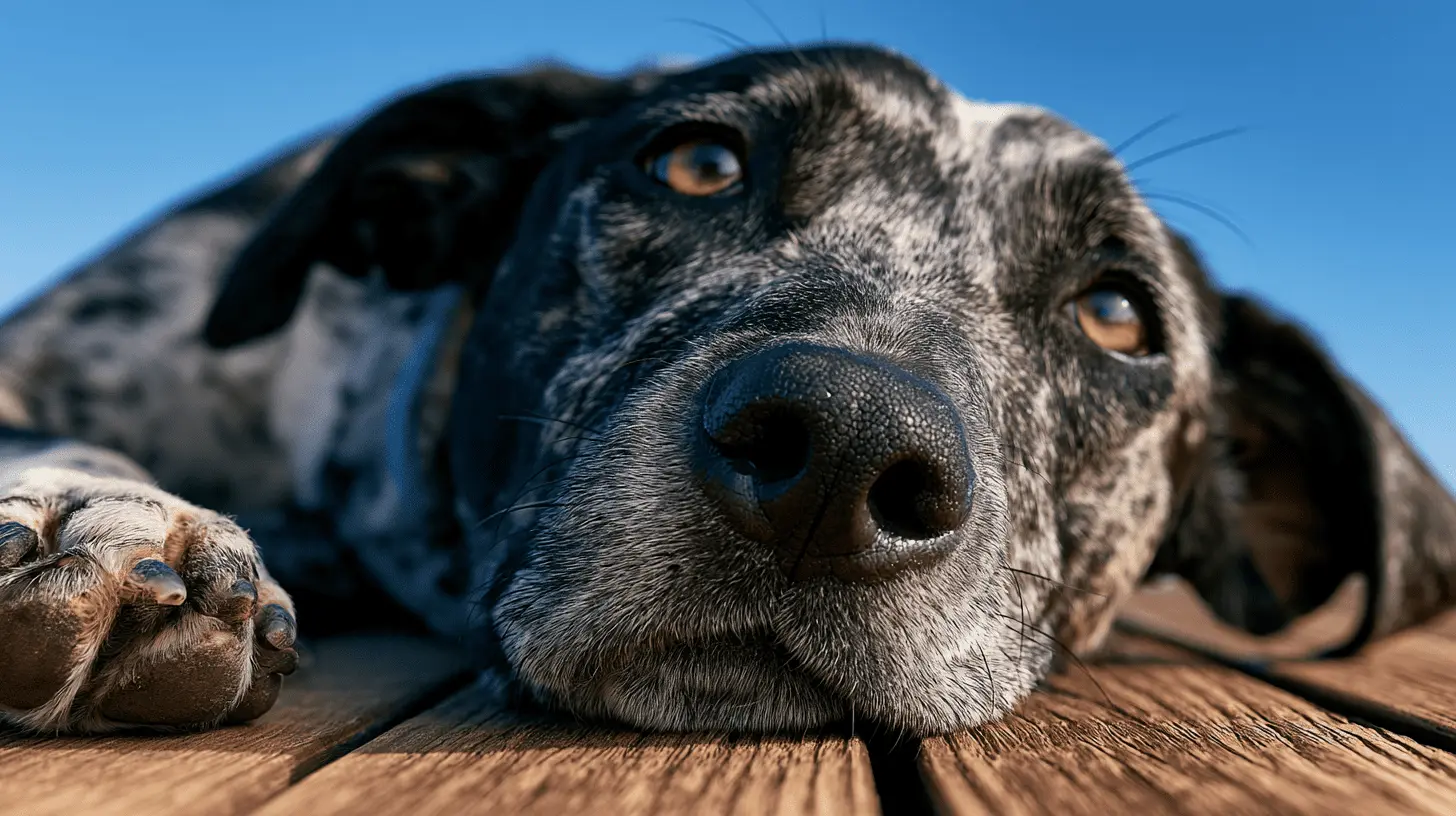
The quality of a pet portrait is only as good as the photo it starts from. This is true of any portrait tradition — a painter working from a great photograph produces a better result than one working from a bad one — and it is just as true of AI generation. A clear, well-lit photo of your pet will always produce a stronger portrait than a blurry one, regardless of which style you choose.
This guide covers everything you need to know to take a photo worth turning into a portrait.
Lighting is the most important thing
More portrait results are limited by poor lighting than by any other factor. Photography is, at its core, the recording of light, and AI generation works from the same information a camera captures. If the light in the photo is poor, the portrait will reflect that.
Natural light is almost always better than artificial. The most reliable setup is a position near a window on an overcast day. Overcast daylight is soft and even — it does not cast hard shadows or create bright highlights that wash out detail. If the sun is directly streaming through the window, move away from it or wait for cloud cover.
Avoid flash. Phone flash flattens the tonal range of a photo and creates a reflective quality in the eyes that looks unnatural in a portrait. If you need additional light indoors, position your pet near a window rather than using flash.
Avoid direct sunlight. Strong, direct sunlight creates harsh shadows and can wash out coat colour and texture. The photo might look good on a phone screen but it gives the portrait less to work with than a photo taken in softer light.
Shoot at eye level
This is the single most commonly overlooked thing. Most people photograph their pets from above because that is the natural position when you are standing and the animal is on the floor. Photos taken from above flatten the face and remove the expressiveness that makes a portrait work.
Get down to your pet's level. Sit on the floor, lie on the floor if necessary. The portrait will be better for it.
For cats and smaller dogs this sometimes means lying flat. For larger breeds, crouching is usually enough. The effort is worth it every time.
Focus on the eyes
In a portrait, the eyes are the most important element. If the eyes are in focus, the portrait will work even if other parts of the photo are slightly soft. If the eyes are out of focus, the portrait will struggle regardless of how well everything else is composed.
When you tap to focus on your phone, tap directly on the animal's eyes rather than the centre of the frame. If your pet is moving, use burst mode to take a rapid sequence and pick the frame where the eyes are sharpest.
Avoid photos taken from angles where one eye is obscured or significantly closer to the camera than the other. A portrait works best when both eyes are visible and roughly the same distance from the lens.
The expression matters
A portrait is an attempt to capture a living thing at a specific moment. The expression in the source photo becomes the expression in the portrait, so it is worth taking some time to capture a good one rather than using the first clear shot you get.
What makes a good expression depends on the animal and the style you are going for. A settled, alert look — the dog looking at you with interest, the cat with composed attention — tends to work well across most styles. An expression that is very animated can work well for playful or cartoon styles but less well for formal styles like oil painting or renaissance.
Toys, treats and sounds are all useful for getting a pet's attention. The moment just after you make an unexpected noise — before the animal relaxes again — often produces the engaged, forward-looking expression that portrait styles work best with.
Getting a reluctant pet to cooperate
Some pets photograph easily. Others require patience. A few things that help:
Take photos after exercise rather than before. A dog who has just been on a walk is calmer and more likely to hold a position than one who is anticipating going out.
Use burst mode. You do not need the animal to stay still for more than a fraction of a second — burst mode captures the still moments between movements, and with enough frames you can almost always find one that works.
For cats, the period just after waking from a nap is often the best window. Cats are naturally more settled in this state and often have a beautiful, soft alertness that photographs well.
Avoid trying to get a portrait photo during high-energy moments — mealtimes, play sessions, arrivals at the door. These will give you action shots. For a portrait you want a moment of stillness.
Backgrounds and framing
The background in your source photo matters less than the lighting and focus, because the portrait generation process adds its own background in the style you choose. But a very busy, cluttered or brightly coloured background can sometimes create noise that the generation process has to work around.
A plain wall, a neutral floor, a simple outdoor setting — anything that puts your pet clearly in front of a background that does not compete with them — will give the portrait the clearest possible starting point.
The framing of the photo should include the full head and ideally the chest and shoulders. Very tight close-ups of just the face can work, but a photo that includes a bit more of the animal gives the portrait more to compose around.
One photo or several?
You only need one good photo to generate a portrait. But if you have several that you like, it is worth uploading them separately to see which produces the strongest result. The free generations at Furcasso mean you can try multiple photos and multiple styles before you decide what to order.
If you have a photo of your pet that you have always loved — one that really looks like them — start with that one.
Upload your photo and start your portrait here — the first generation is free and takes about 90 seconds.
-
Can I use an old photo for a pet portrait?Can I use an old photo for a pet portrait? A: Yes, as long as the face is visible and reasonably sharp. Older photos from earlier phones can still work well. The most important thing is that the eyes are clear and in focus — if the eyes are readable, the portrait will work even if other elements of the photo are less than perfect.
-
Why should I avoid flash when photographing my pet?Flash flattens the tonal range of a photo and creates a reflective quality in the eyes that looks unnatural in a portrait. It also removes the texture from coats — particularly curly and long-haired breeds — that portrait styles work with. Natural window light on an overcast day is the most reliable alternative.
-
How do I photograph a dark-coated pet for a portrait?Dark coats are easy to underexpose. Shoot in good natural light and check that the coat has visible texture and detail before uploading. If your phone is auto-exposing for a light background and leaving the dark coat underexposed, tap on the coat in the viewfinder to set the exposure to the coat rather than the background.
-
How do I get my pet to look at the camera?Hold a treat or toy just above the lens. Unusual sounds — a squeaky noise, a whistle — often produce a moment of alert, forward-facing attention. Burst mode is useful for capturing the exact moment of attention before the dog or cat looks away. The moment just after you make an unexpected sound is often the best expression.
Keep reading
Are AI Pet Portraits Hand Painted?
The question comes up constantly, and it deserves a straight answer.
How AI Pet Portraits Actually Work — The Technology Behind the Magic
Most people who use an AI pet portrait service do not particularly need to understand how it works. They upload a photo, choose a style, and see the result. That is entirely sufficient.
What Size Should a Pet Portrait Be? A Room-by-Room Guide
Choosing the right size for a pet portrait is one of those decisions that feels more complicated than it is. Most people have an instinct about what would work in the space they have in mind — they just want confirmation. This guide is desi
Comments (0)
Be the first to comment.
Comments are moderated before they appear.